I started my small design-build business in the early 1980s. By 1992, I was running three crews, building new houses and doing major remodeling projects. It was around that time I realized my skills and temperament were better suited to running a smaller, more personally manageable business, keeping only one crew busy with a combination of custom and spec remodels.
I now work on a hybrid time-and-materials basis, typically with a “not to exceed” budget. I bill every two weeks, charging the actual invoice cost of materials, subs, and other services, plus the price of my crew’s labor (not my cost of their labor), all multiplied by 120 percent. My labor price is spelled out in the contract and already includes a markup to cover labor burden and some profit.
Although we work T&M, I always produce a careful estimate so that the client and I are both comfortable with the proposed cost of the project. I also carefully track changes when the scope of work grows, as it often does, and frequently compare budgeted allowances to actual costs as the client makes product choices for items like appliances, lighting fixtures, countertop materials, flooring, and plumbing fixtures.
Particularly on kitchen and bathroom jobs, allowance items can drive up the costs quickly, and it’s crucial that clients know the budget and are aware of when they are going over it. My experience has been that most clients will understandably try to pinch every penny when we are negotiating the contract, but once the work is started they find it easy to go overboard on a fancy range or elaborate tile work. As long as I can show them that it was their choices that drove up the cost of the project, tensions—if there are any—won’t be aimed at me.
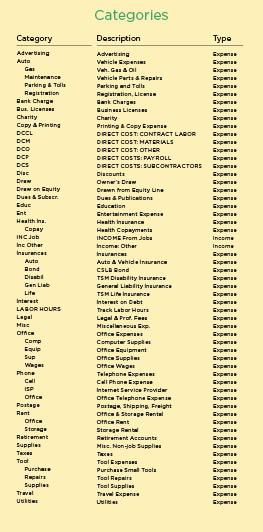
Keeping clients informed on a regular basis requires good data and the ability to gather that data into timely reports. Years ago I made the choice to use Intuit’s Quicken to track my financials, and over the years I’ve learned how to push the program to its limits to create the kind of cost reports I need. I tried QuickBooks for a while—Intuit’s double-entry accounting program—but found its features were more complex than I required. I use cash-based accounting and try not to run up payables or receivables, so I don’t need “accrual” accounting to manage my business.
Quicken is essentially a check-writing program. As any builder knows, we have to write a lot of checks in this business, so it makes sense to use the computer to streamline the process. The beauty of Quicken is that as the checks are being written, or credit card charges are recorded, you can also quickly add specific job and vendor information to the check register—information that can later be searched and organized into valuable job-cost and financial reports.